
Step 1: Name Your Show
Head to Create a Show and give your show a memorable name. This is just for your reference — your performers won't see it.
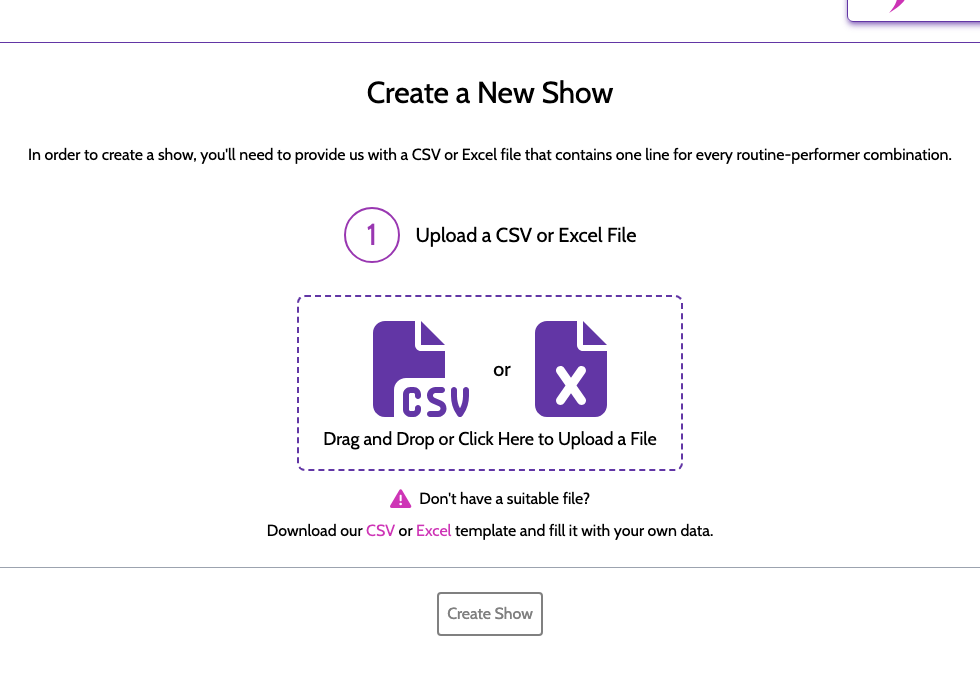
Step 2: Upload Your Data
Choose your CSV or Excel file. ShowSort will immediately parse it and show you a preview of the routines and performers it found.
Check the preview carefully. Make sure:
- The routine count looks right
- The performer count looks right
- Names look correct (no weird splits or duplicates)
If something looks off, go back and clean up your source file before continuing.
Step 3: Single Show or Multiple Shows?
- Single Show — One performance with one continuous order. Best for most studios.
- Multiple Shows — Two or more separate performances (e.g., a Saturday matinee and evening show). Each performance gets its own optimized order, and ShowSort tracks which performers are in too many or too few shows. See Multi-Show Mode for details.
Step 4: Confirm and Purchase
ShowSort shows you a summary and a price based on the number of routines ($2.49/routine for single shows, $4.99/routine for multi-show productions). Once you confirm, your show is created and you're taken to the show page — ready to optimize!
Your purchase includes unlimited optimization runs for that show, forever.