What is Multi-Show Mode?
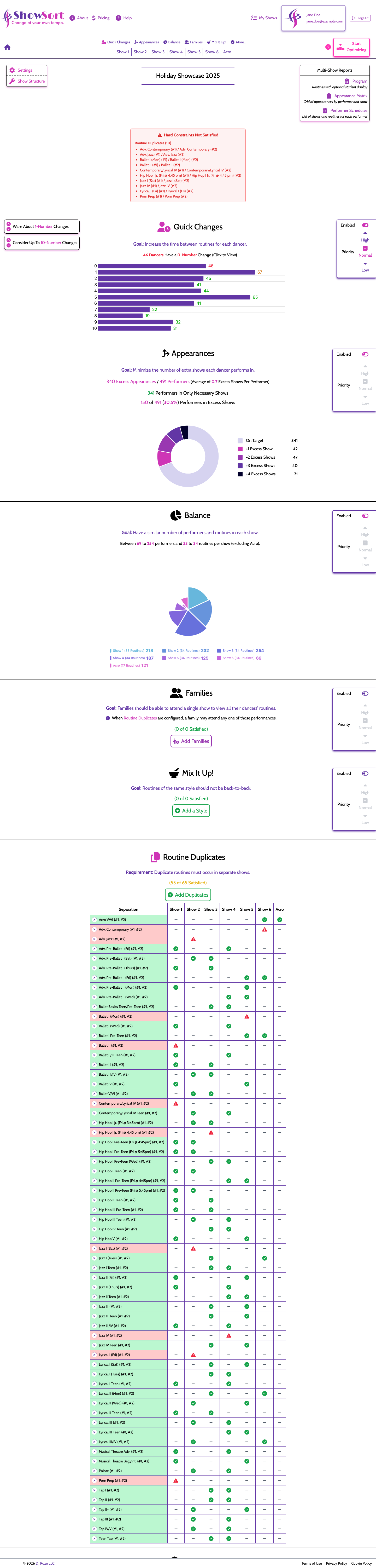
Multi-show mode is for productions that run multiple separate performances — like a Saturday matinee and a Saturday evening show, or a Friday and Saturday performance. Each show gets its own optimized routine order.
How Performers are Assigned
When you create a multi-show, each routine can be assigned to one or more of the performances. A performer's schedule is then tracked across all the shows they're assigned to.
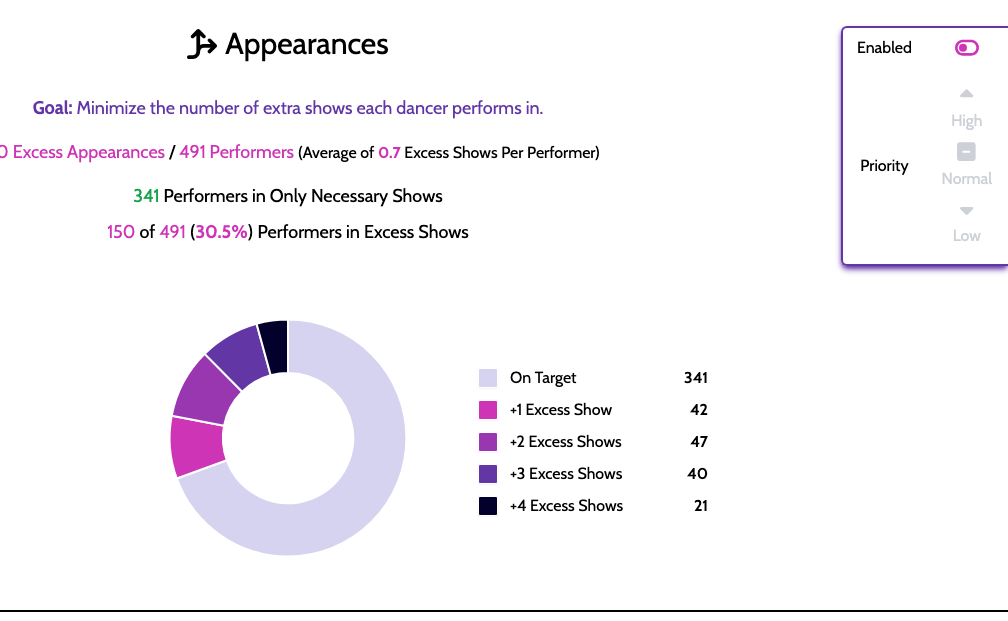
Appearance Tracking
ShowSort tracks how many shows each performer is scheduled for and flags performers who are:
- Over-committed — appearing in more shows than intended
- Under-committed — appearing in fewer shows than intended
The Appearance Matrix report gives you a visual grid of exactly who is in what.
Balance
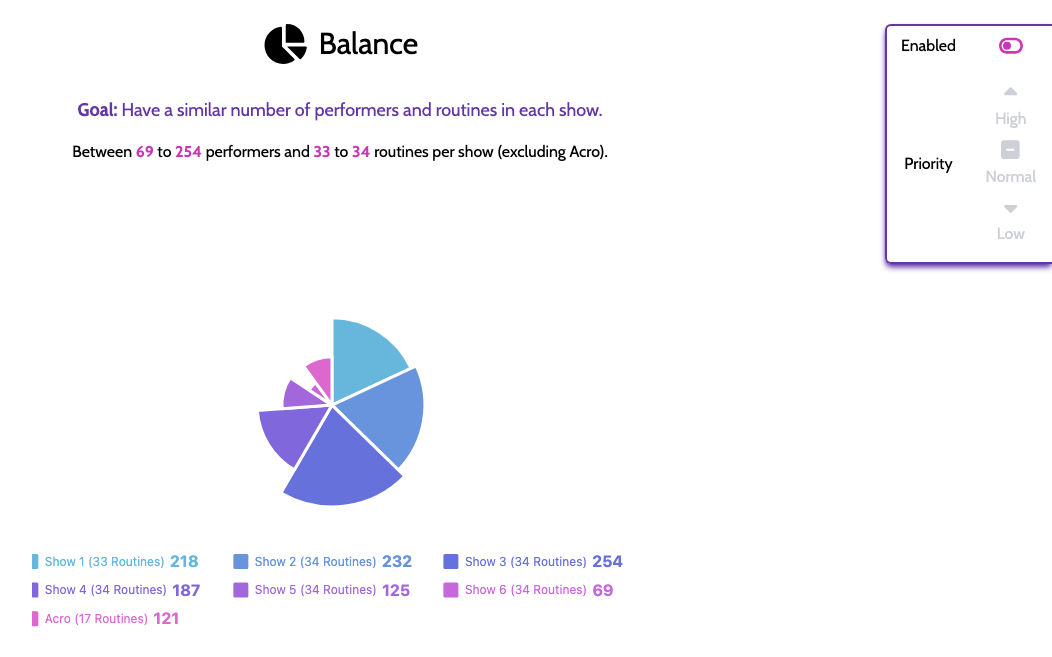
The Balance section visualizes how evenly your performers' workloads are distributed across the different performances.
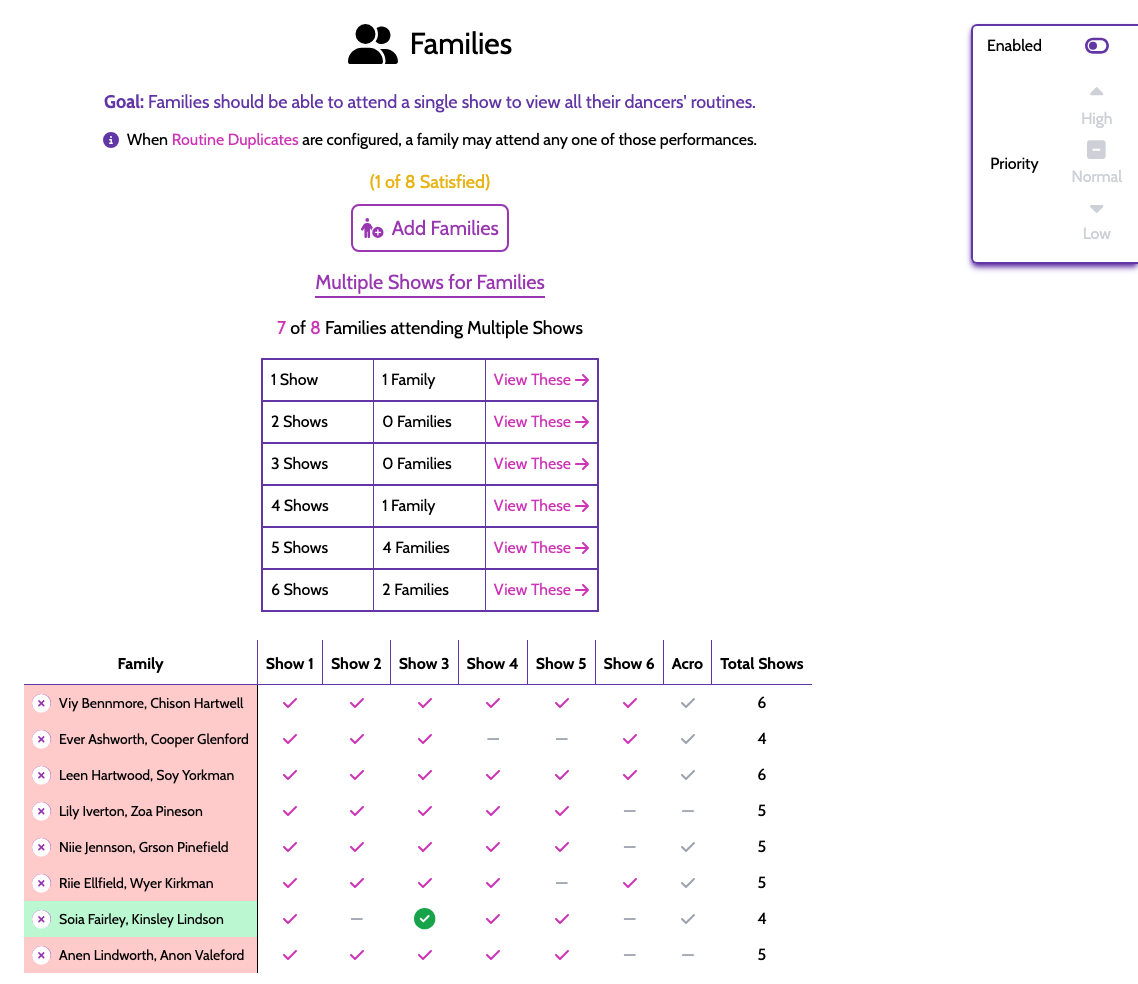
Families
Families group performers who tend to attend together — siblings, parent-child pairs, or carpool buddies. When the optimizer assigns routines to performances, it tries to keep family members on the same days when possible.
Flexible Show Sizes
In Settings, you can enable Flexible Sizes ("Automatically Resize Shows"), which allows different performances to have different numbers of routines. This is useful if your Saturday evening show has more material than the matinee.
For adding, removing, or renaming routines and performers \u2014 and for configuring your multi-show breakdown \u2014 see Show Structure.
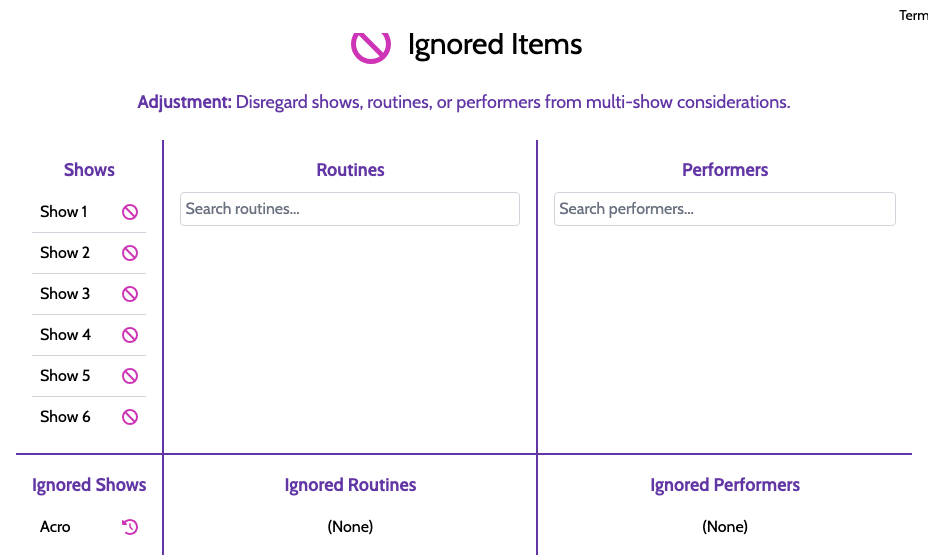
Multi-Show Ignores
If a routine shouldn't appear in certain shows, you can configure multi-show ignores to exclude specific routines from specific performances.