
What It Is
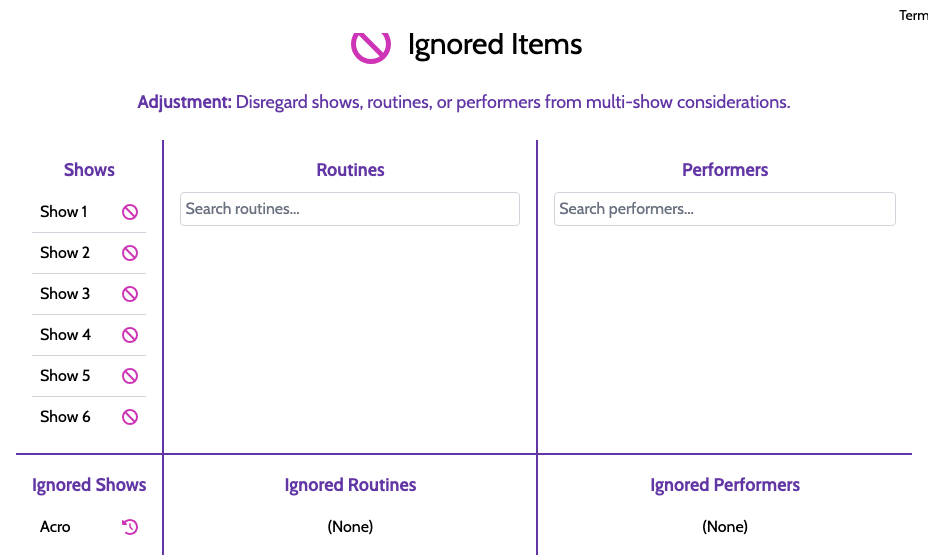
Multi-Show Ignores let you tell the optimizer "don't factor this into your multi-show calculations." You can ignore:
- A specific show (e.g., a dress rehearsal that shouldn't count toward balance)
- A specific routine (a guest piece that only ever runs once)
- A specific performer (a featured artist who's only in one performance by design)
When You Need It
- A dress rehearsal that's officially part of your event but shouldn't affect appearance counts
- A guest performer who's a one-show special and shouldn't trigger "under-committed" warnings
- A routine that runs in only one show on purpose (a finale exclusive to closing night)
Without ignores, ShowSort would think these are imbalances and try to fix them. With ignores, it leaves them alone.
Ignores also affect stats: ignored shows are excluded from appearance/balance calculations so the optimizer is not chasing intentional exceptions.
Adding an Ignore
In the Multi-Show Ignores panel, click the appropriate type and select what to exclude. The exclusion takes effect immediately — re-optimize to see the impact.