
What is a Group?
A group is a named collection of routines that travel together in the show order. While the rest of the show gets rearranged around them, the group's routines stay in one block, side by side — like a reserved block of seats.
Groups are perfect for:
- A themed section ("All Hip Hop numbers together")
- A specific instructor's classes ("Miss Stephanie's routines")
- A sponsor segment that must flow as a unit
Creating a Group
On the show page, select routines and use the Groups panel to create a new group. You can name it anything you like.
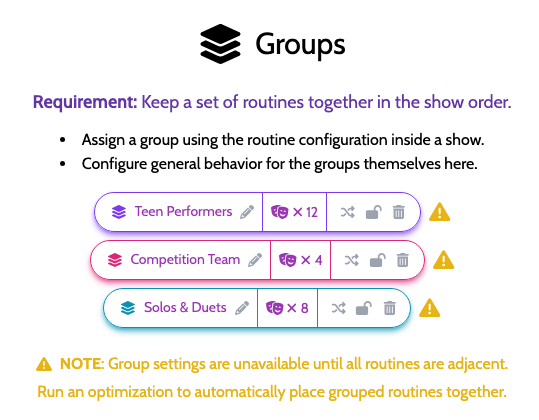
Group Options
Each group has three independent controls:
🔀 Ordered vs. Unordered
- Ordered group — the routines must stay in the same sequence relative to each other (Routine A always before Routine B within the group)
- Unordered group — the optimizer can shuffle routines within the group to improve quick changes, while keeping them all together
🔒 Locked vs. Floating
- Locked group — the group's block of positions is fixed in the show order (the group won't move)
- Floating group — the group stays together but can move to a better location in the show if it helps reduce quick changes
If a group is locked and ordered, every routine in it stays in exactly the same position. If it's locked but unordered, the routines can swap places within the fixed block.
🎭 Act Restricted
The group will not cross an intermission boundary. See Act Restrictions.
Group Features Require Adjacency
Group controls (lock, order, act restriction) are only available when all routines in the group are right next to each other in the configured order. If a group member has drifted away, run an optimization pass — ShowSort will bring them back together.
If a group can't be kept together given your other rules, you'll see it called out in the "Hard Constraints Not Satisfied" Warning banner.